The ridge around the side panel is easy to follow on the Blue sleeve. Look at the same edge in Black & Blue and it fades into the dark half. That’s the first choice I’d make for the Vaporesso ARMOUR OCTA: do you want the shape of the case to stand out, or the pattern? The color chart below shows all nine finishes. For a look at the fit, scroll to the front view of the Black case on the mod.
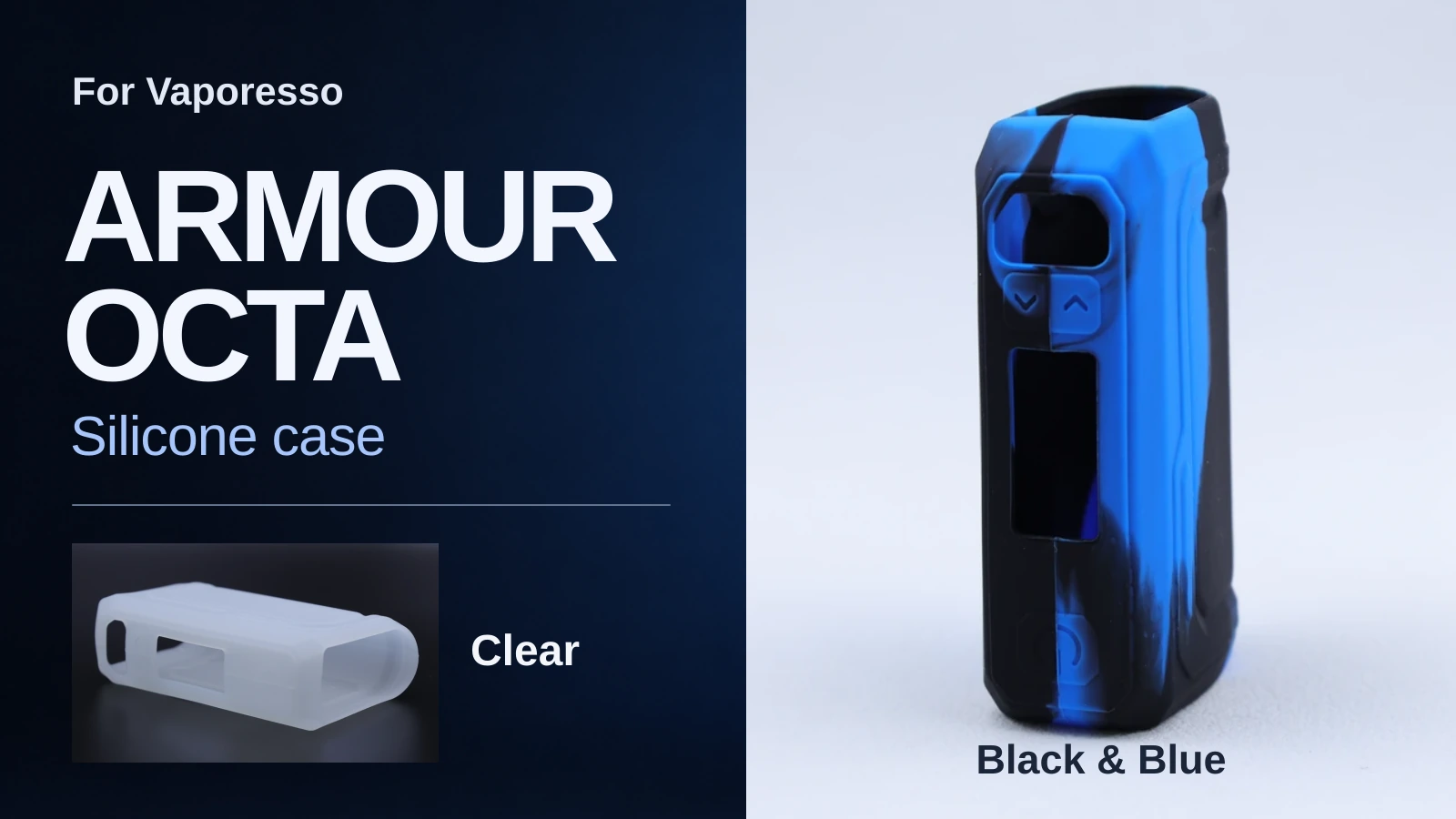
The upright Black & Blue sleeve shows the front openings. In the smaller photo, you can see the far wall through the open end of Clear.
Which color would I choose?
Blue is my pick for seeing the molded detail. The single color makes the raised border and button markings easier to read in the photos. For a quieter look, I’d choose Black. The four black two-tone options make more sense if you like a case that looks different from the front and side.
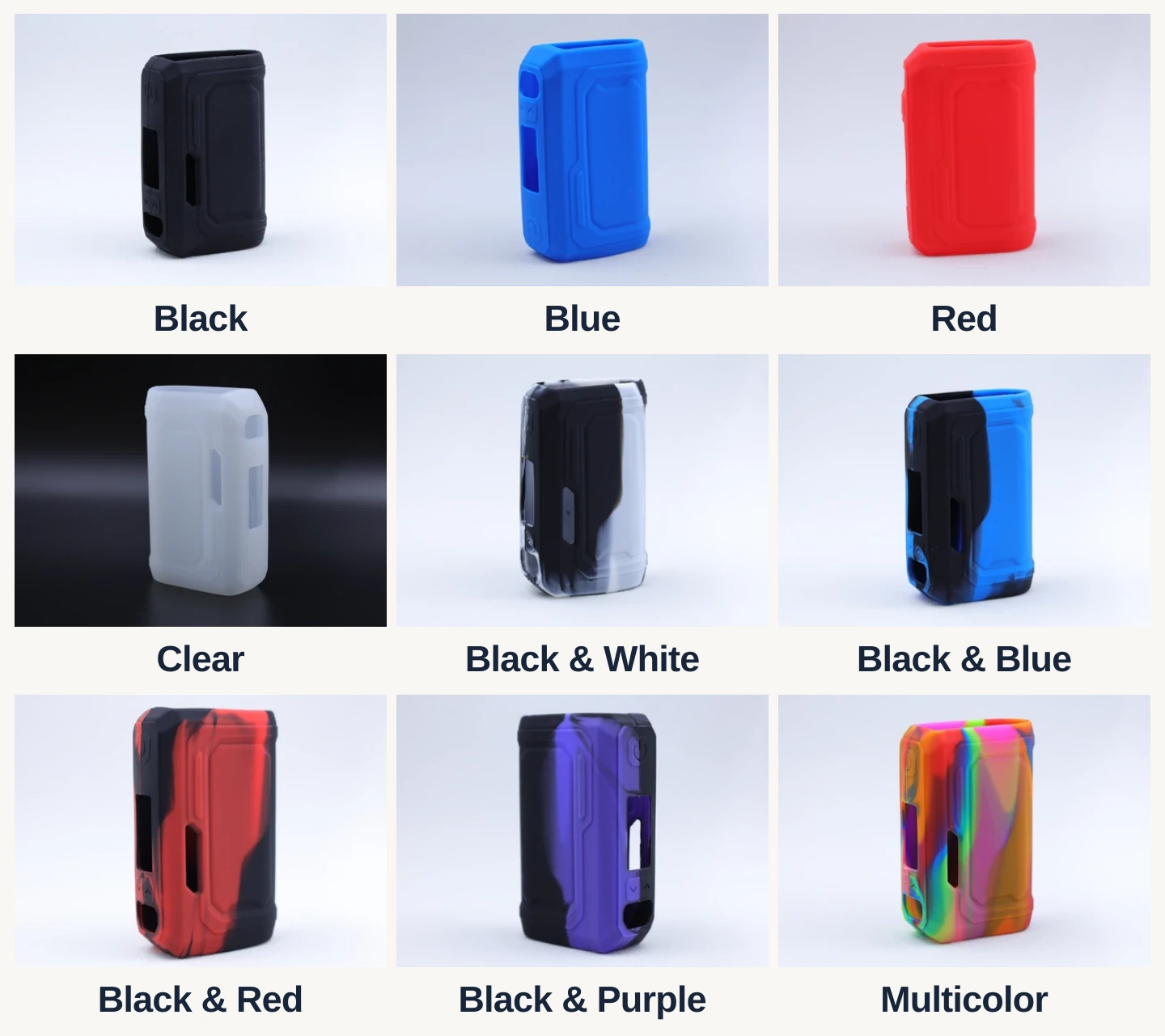
Find your finish by the name under the photo. The pink, green and orange areas on Multicolor show the pattern of this particular sample.
| If you want… | Choose on the product page | What to look for |
|---|---|---|
| One solid color | Black, Blue or Red | Black softens the outline of the ridges. Blue and Red show a continuous band of color across the side. |
| A frosted finish | Clear | Light passes through the silicone. Over a device, the body color will affect the result. |
| A pale accent on black | Black & White | Look for the light streak beside the dark panel. Clear has a translucent finish across the sleeve. |
| A dark case with color on one face | Black & Blue, Black & Red or Black & Purple | Compare the front with the side. The dark area can occupy most of one view. |
| Several colors on one sleeve | Multicolor | The colored areas wrap around the corners. Look at more than one angle before choosing. |
What does the sleeve cover?
This case fits the Vaporesso ARMOUR OCTA mod body. Check that the model name on your device or box includes OCTA. The iTank T above it has its own tank protector in the kit. Vaporesso already gives the mod a textured grip, so I’d add the sleeve for a change of finish and a removable outer layer. If the original texture is what you like most, covering it changes the part you hold. Vaporesso’s ARMOUR OCTA kit specifications · Original grip and tank protector
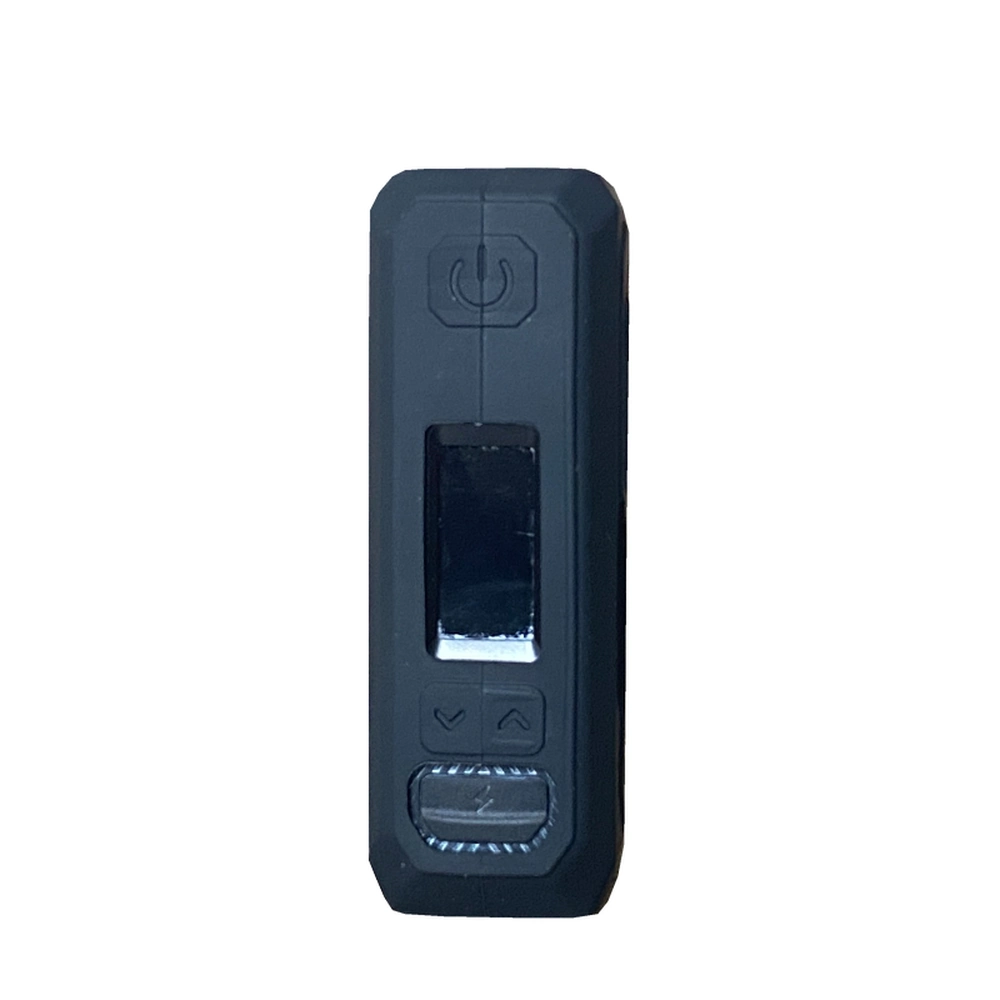
On the fitted Black case, the power symbol sits above the rectangular screen opening. The two arrows are directly below it. The screen is off in this photo.
When you fit yours, line up the opening with the 0.96-inch screen, then smooth the silicone over the corners. With the display lit, check that you can read right to the edges and that both arrow markings sit over their buttons. To clean the sleeve, take it off, wipe it and let it dry before refitting.
Before ordering
If you’re torn between two patterns, compare the same corner as each sleeve turns in the Momovaping case video. Each pack contains one silicone case in the selected color. See the nine ARMOUR OCTA case options at Momovaping.