An old pod marked 0.6Ω can lead to three different choices in the NOVO SLR range. The original SLR has a Meshed 0.6Ω option, and SLR 2.0 has separate Meshed and Dual Meshed choices at that resistance. For a replacement, start with the exact device model and match the full cartridge label. 1 2
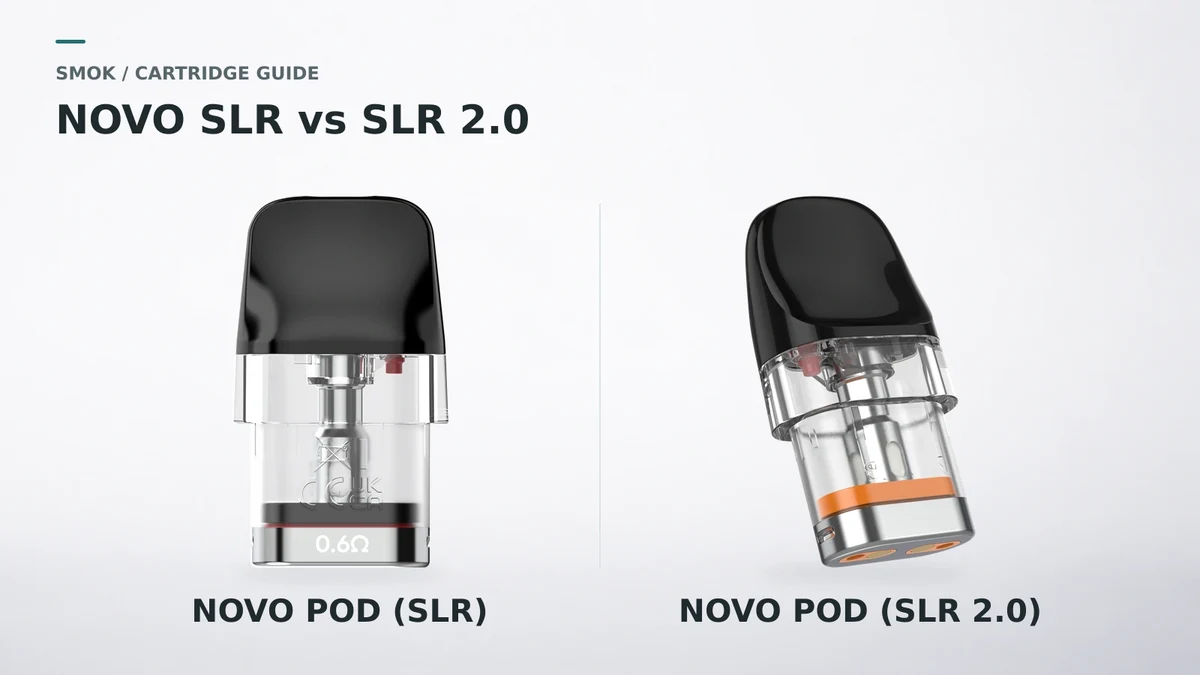
SLR vs SLR 2.0 at a glance
| What to check | NOVO POD (SLR) | NOVO POD (SLR 2.0) |
|---|---|---|
| Family name | SLR | SLR 2.0 |
| Options shown in SMOK’s store | Meshed 0.4Ω, 0.6Ω, 0.8Ω and 1.0Ω | Meshed 0.6Ω, 0.8Ω and 1.0Ω, plus Dual Meshed 0.6Ω |
| Useful cue in the official renders | Resistance marking on the metal-colored base | Colored band above the base on the pictured variants |
| Detail to double-check | The full SLR name and printed resistance | The 2.0 name, resistance and Meshed or Dual Meshed label |
The options are from SMOK’s two official store listings. The visual cues describe the pictured cartridges. 1 2
How to identify a loose NOVO cartridge
Start at the bottom edge. On the SLR example pictured here, 0.6Ω is printed on the metal-colored base. The clear reservoir and black mouthpiece make the family resemblance obvious. The base marking is where you can read the resistance without a carton. 1
Next, look just above that base. SMOK’s SLR 2.0 listing pictures orange bands on the 0.6Ω options, green on 0.8Ω and blue on 1.0Ω. I would use these catalog cues to narrow the search, then confirm the full name on the pack or order details. 2
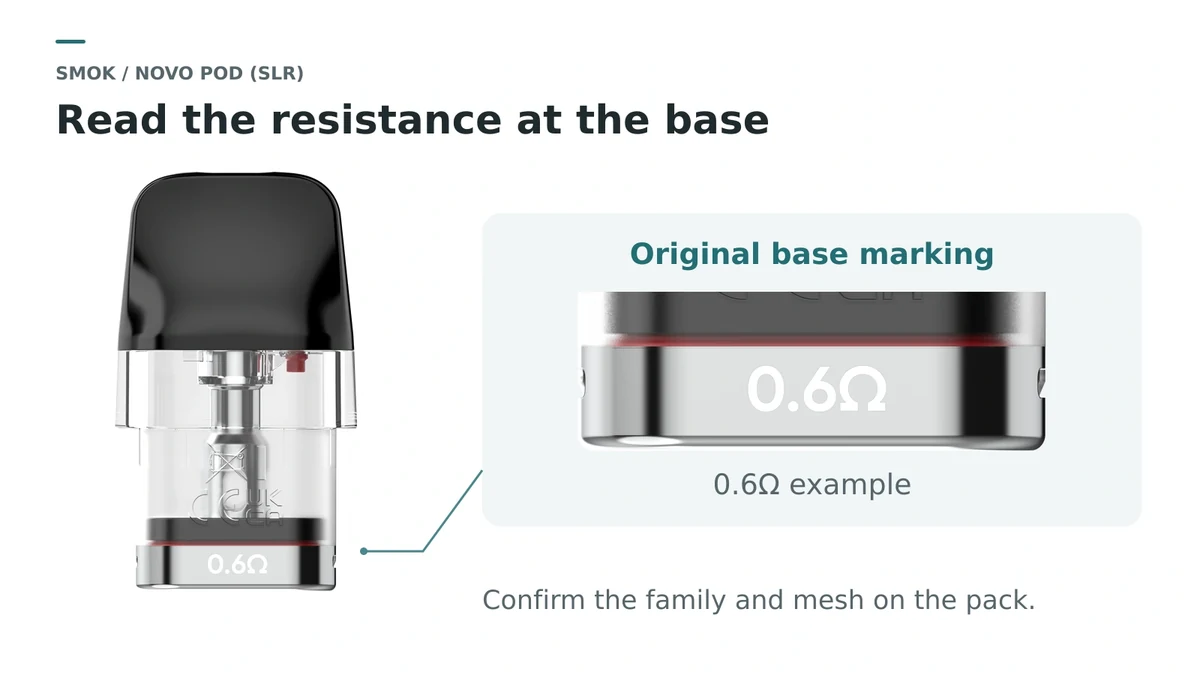
A loose pod with a readable resistance and no traceable packaging may still leave the family or mesh version uncertain. A photo of the old carton’s variant label is the fastest reference the next time you reorder. If the marking has worn away, start with the device model and choose from the confirmed options below.
The two SLR 2.0 0.6Ω labels matter
Read the option text next to the resistance. SMOK calls the two SLR 2.0 choices Meshed 0.6Ω and Dual Meshed 0.6Ω. The store uses the same orange-band render for both selections, so the mesh label is the part you need to match. 2
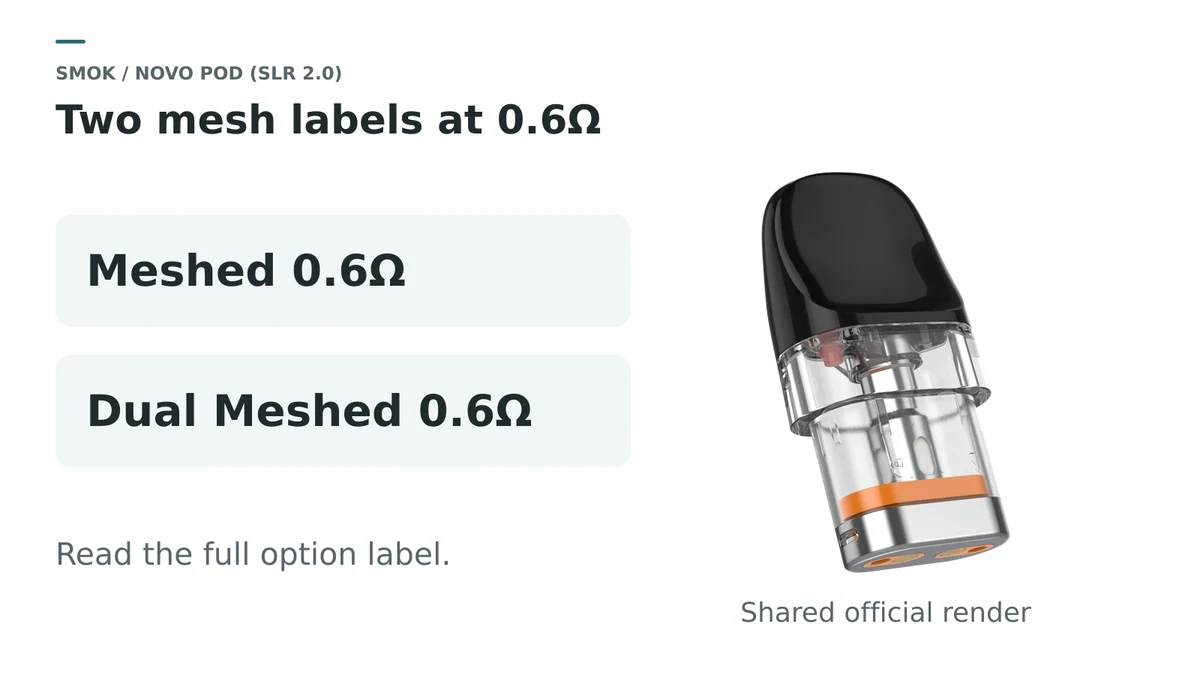
Switching between those two options changes the mesh configuration while keeping the same resistance. For buyers comparing listings, I would give a clear option label more weight than a larger product photo.
Which pod fits your NOVO device?
Look up the exact model on your device. The table shows the options documented in SMOK’s kit pages and compatibility guide. Not listed here marks a gap in those sources. 3 4 7
| Your device | NOVO POD (SLR) | NOVO POD (SLR 2.0) |
|---|---|---|
| NOVO CLASSY | Meshed 0.6Ω and 0.8Ω shown. 4 | Not listed here |
| NOVO ECO | Meshed 0.4Ω, 0.6Ω and 0.8Ω shown. 7 | All four options listed. 3 |
| NOVO AXIS | Not listed here | All four options listed. 3 |
| NOVO AXIS EZ | Not listed here | All four options listed. 3 |
| NOVO, NOVO 2 or NOVO 3 | Not listed here | All four options listed. 3 |
| NOVO 2X, NOVO PRO or NOVO MASTER | Not listed here | All four options listed. 3 |
For an ECO owner replacing a 0.6Ω pod, both families have documented options. Check the mesh label if you move to SLR 2.0, since its 0.6Ω choices include Meshed and Dual Meshed. 3 7
For NOVO 5, NOVO 6 and NOVO 6 ULTRA, SMOK documents the expanded NOVO 5 pod platform. Start with that family when replacing a pod from one of these kits. 5 6
What I would choose
For a routine replacement, I would order the same family, resistance and mesh version that worked well in the device. If a seller’s option only reads “0.6Ω,” ask for the exact variant on the carton. That gives you a part you can identify again the next time you reorder.
Sources
- SMOK official store — NOVO POD (SLR) options and product images
- SMOK official store — NOVO POD (SLR 2.0) options and product images
- SMOK Pod Compatibility Guide — SLR 2.0 device matrix
- SMOK NOVO CLASSY — pod options
- SMOK NOVO 6 ULTRA — expanded NOVO 5 pod platform
- SMOK NOVO 6 — NOVO 5 platform compatibility
- SMOK NOVO ECO — SLR pod options diagram