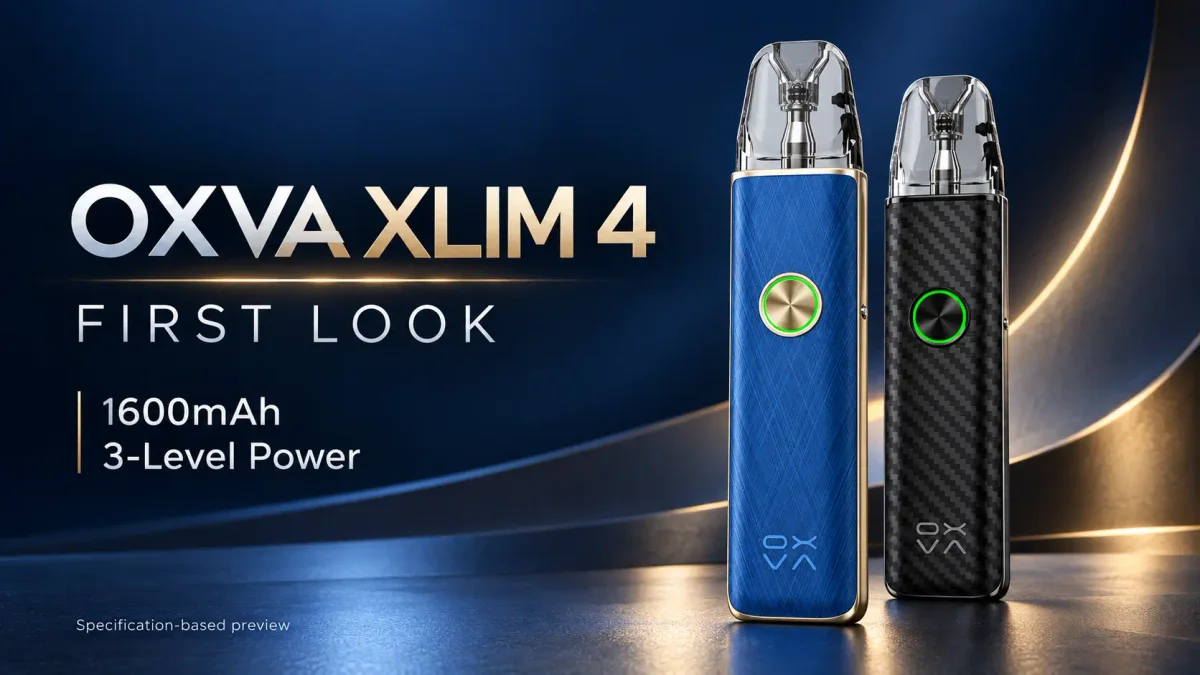
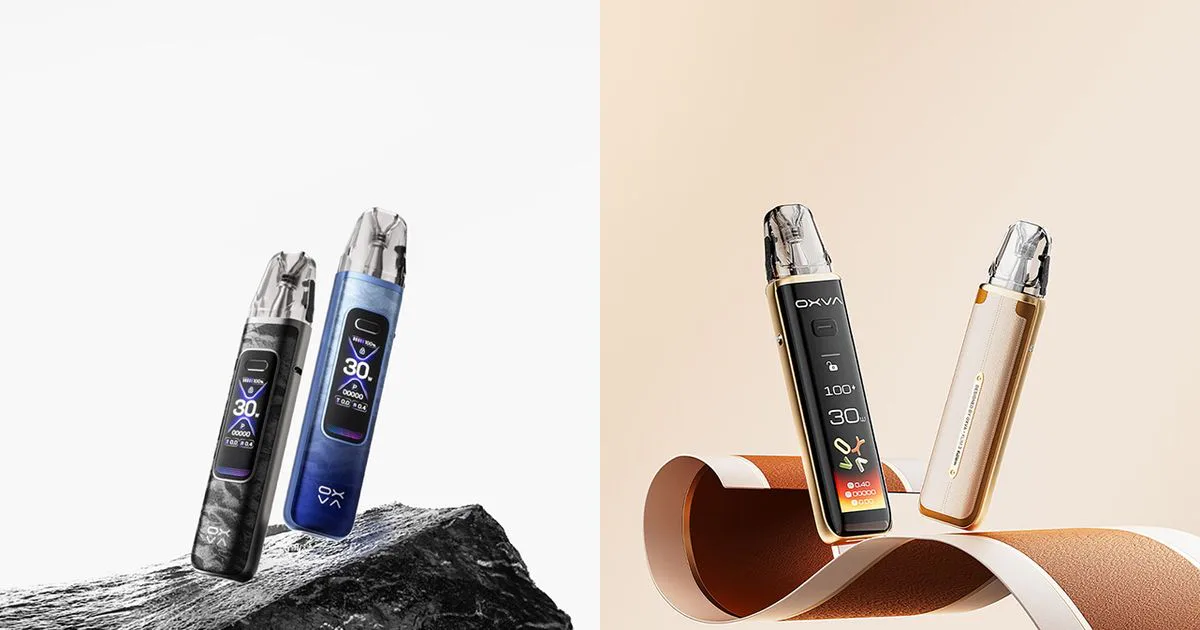
Choose the OXVA XLIM 4 for three-step power adjustment, the XLIM Pro 3 for a compact numeric display, or the XLIM 3 Ultra for touchscreen control. All three reach 30W and use the XLIM cartridge platform. Their biggest everyday difference is the way you choose power and read information.
This specification comparison was checked against OXVA’s official product pages, technical sheets and manuals on 12 October 2026. It assesses features and buying trade-offs, rather than reporting a hands-on flavour or battery test.
Article images are AI-assisted product composites based on reference images, not photographs from hands-on testing.
| Feature | XLIM 4 | XLIM 3 Ultra | XLIM Pro 3 |
|---|---|---|---|
| Power control | Low / Medium / High presets | Adjustable wattage | Adjustable wattage |
| Maximum output | 30W | 30W | 30W |
| Interface | Ring light; no numeric screen | 2.2-inch HD full touchscreen | 1.05-inch HD colour screen |
| Battery | 1600mAh | 1500mAh | 1500mAh |
| Charging input | USB-C, 5V/2A | USB-C, 5V/2A | USB-C, 5V/2A |
| Listed weight | 78.1g | 90g | 77.4g |
| Standard dimensions, H × W × D | 121 × 26.2 × 15.2mm | 121.9 × 28.9 × 16.5mm | 119.9 × 25.7 × 15.0mm |
| Activation | Auto draw | Auto draw and button | Auto draw and button |
| Airflow | Adjustable side slider | Adjustable side slider | Adjustable side slider |
| Output system identified by OXVA | Pulse System in technical sheet | Super Pulse System | Pulse System |
| Listed kit cartridges | One 0.8Ω UNITECH 3.0 | 0.6Ω and 0.8Ω XLIM Top Fill | 0.6Ω and 0.8Ω XLIM Top Fill |
| Cartridge capacity | 3ml standard / 2ml TPD | 3ml standard / 2ml TPD | 3ml standard / 2ml TPD |
Sources: XLIM 4 technical sheet, XLIM 3 Ultra page, XLIM Pro 3 page and the manufacturers’ manuals. Dimensions compare standard versions; the Pro 3 and Ultra manuals list shorter TPD versions. Listed kit contents may differ in retailer bundles.
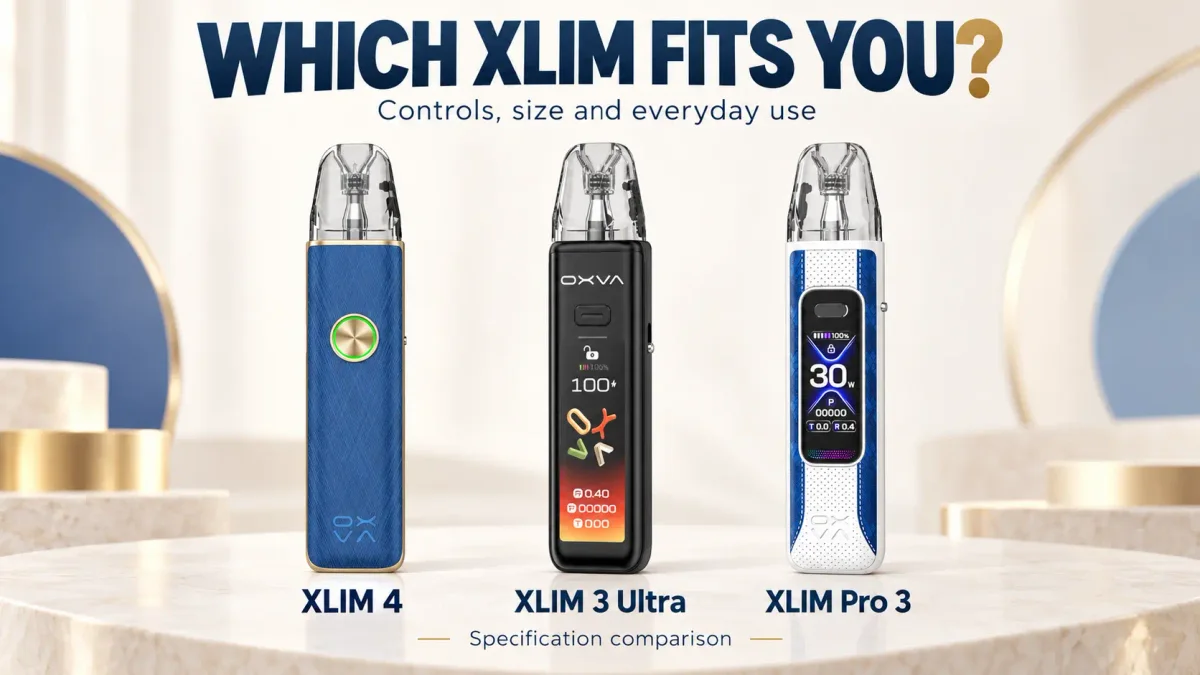
XLIM 4 vs XLIM Pro 3: presets or a number?
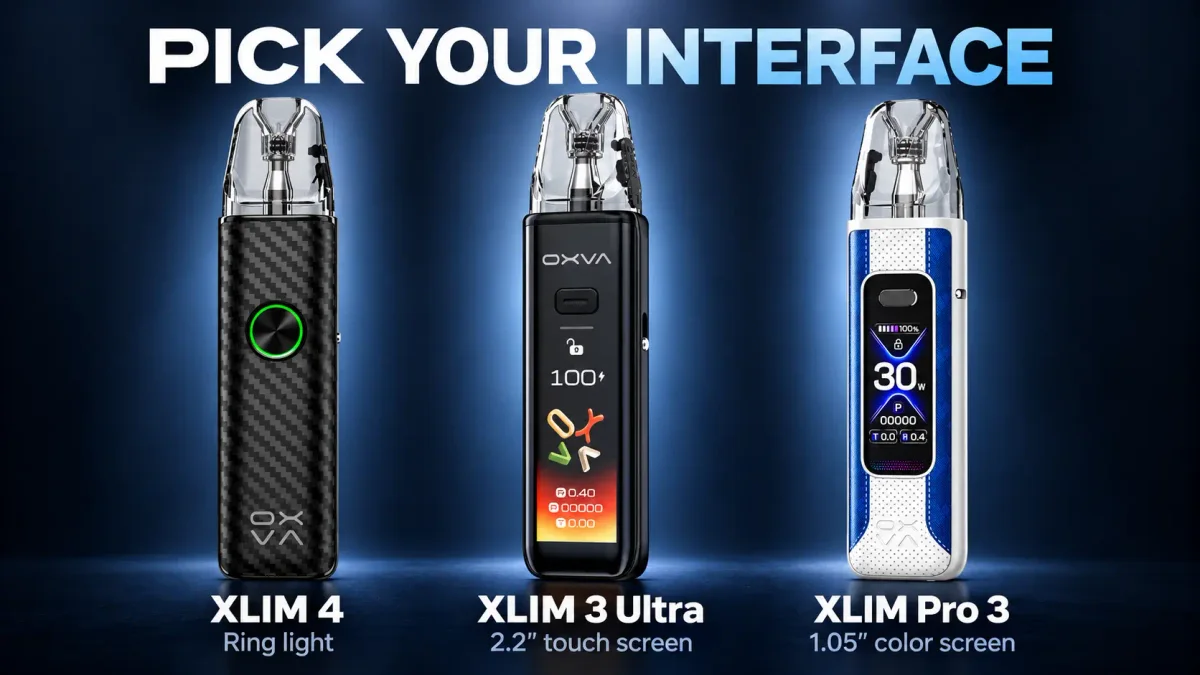
These two devices are closer in physical size than their different front panels suggest. The XLIM 4 is 0.7g heavier and slightly taller, wider and deeper. Moving to it from a Pro 3 would therefore bring little change in the amount of device carried.
The meaningful change is control. The XLIM 4 gives you three choices. The Pro 3 lets you choose wattage and see battery, resistance and other information on its colour screen. 3, 5
If you routinely change power to suit a particular liquid or cartridge, the Pro 3 remains the more useful choice. If you tend to select a setting once and leave it there, the XLIM 4’s presets may suit your routine just as well.
For a satisfied Pro 3 owner, the XLIM 4 is mainly an interface change. Replacing a functioning device makes more sense when that simpler interface is wanted, or when the existing battery needs replacement.
XLIM 4 vs XLIM 3 Ultra: less weight, less information
The XLIM 3 Ultra’s 2.2-inch touchscreen is its clearest distinction. It accommodates more visible information and touch interaction, while the XLIM 4 reduces status checks to a ring light. 2, 4
The XLIM 4 is 11.9g lighter, 2.7mm narrower and 1.3mm thinner on the published figures. Those differences give it a more convincing portability argument against the Ultra than against the Pro 3.
An Ultra owner who uses the touchscreen and numeric wattage control would give up useful features by switching. Someone who rarely interacts with the display may instead value the smaller body and simpler controls.
That is a preference decision. The specifications do not establish that the screen-free model delivers better flavour or longer cartridge life.
The battery advantage is smaller than it sounds
The XLIM 4 adds 100mAh over either alternative: about 6.7% more nominal capacity. That calculation comes from the published battery ratings; it is not a measured runtime improvement.
All three list a 5V/2A charging input. A shared input rating does not prove identical charge times, and the extra capacity alone gives little reason to replace a healthy 1500mAh device.
For a fair endurance comparison, the devices would need the same cartridge resistance, output, liquid and puff pattern. Until then, the battery ratings support a modest capacity advantage for the XLIM 4, rather than a claim of dramatically longer use.
OXVA also uses different Pulse and Super Pulse descriptions. Those labels identify the manufacturer’s output systems; they do not provide independent evidence for ranking flavour between the three models.
You may want a cartridge change before a device change
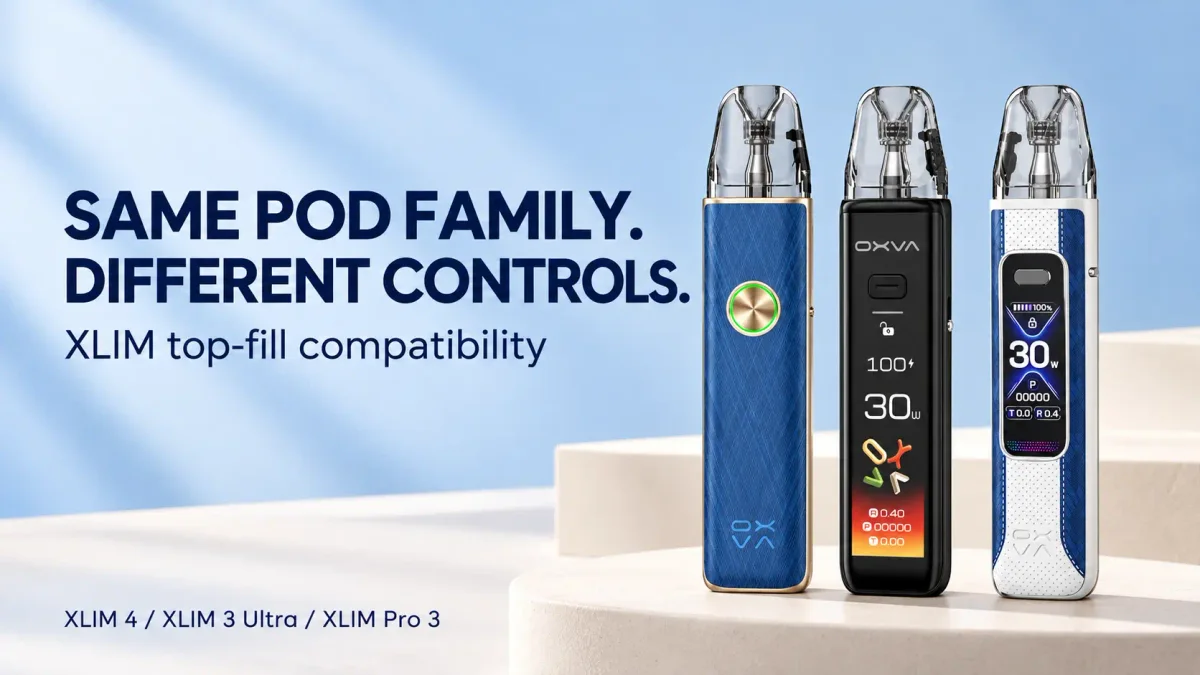
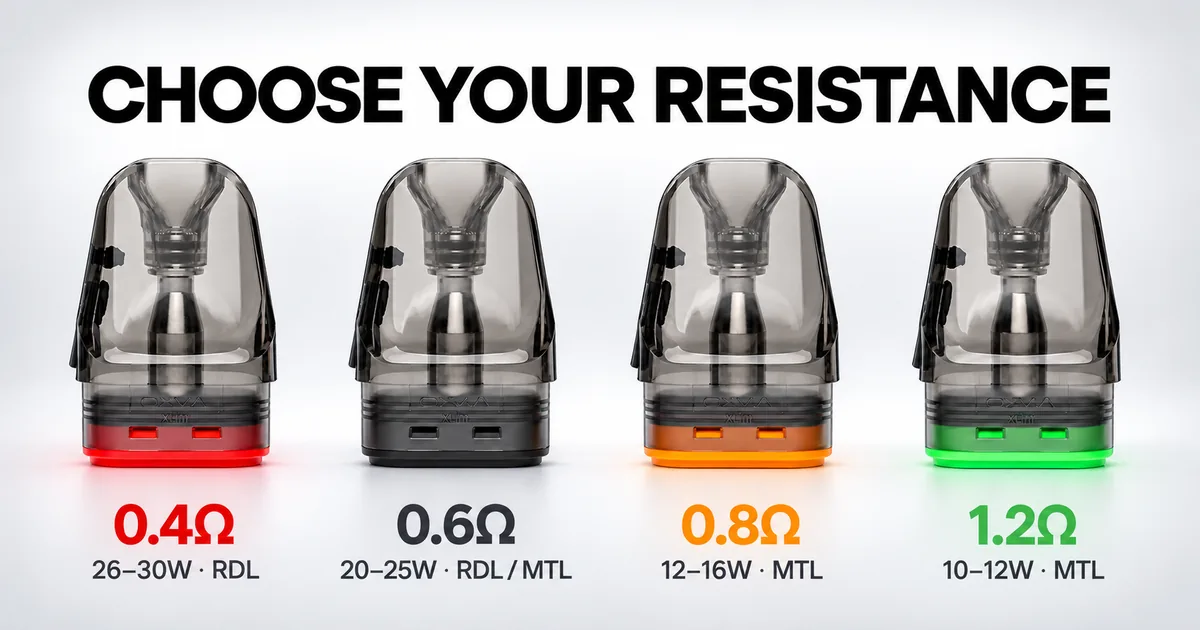
The XLIM 4 ships with a UNITECH 3.0 cartridge, but OXVA’s current compatibility information also names XLIM Pro 3 and XLIM 3 Ultra among supported devices. The new cartridge is therefore not an exclusive reason to buy the XLIM 4. 6, 7
For an existing owner interested mainly in the revised cartridge design, trying a compatible UNITECH 3.0 pod when locally available is the smaller purchase. It also lets that person assess the cartridge while keeping familiar device controls.
Be precise about the version ordered. The current XLIM 4 technical sheet marks the 3ml UNITECH 3.0 1.2Ω cartridge as coming in 2027, despite listing 1.2Ω resistance compatibility. An earlier 1.2Ω XLIM Top Fill pod should not be mistaken for that future version. 1
Kit value: count the cartridges as well as the price
OXVA lists one 0.8Ω cartridge in the XLIM 4 kit. The other two official kit lists include both 0.6Ω and 0.8Ω cartridges. That gives a new buyer two draw options—and a spare—without a separate cartridge order.
Retailer prices and bundles vary, so compare the delivered kit cost plus any extra pods you actually need. A lower device price may offer less saving once a second cartridge is added.
Which one should you choose?
| Your priority | Best fit on the published specifications |
|---|---|
| Three power choices and simple status lights | XLIM 4 |
| A numeric display in the lightest listed body here | XLIM Pro 3 |
| A large screen and touch interaction | XLIM 3 Ultra |
| Less bulk than an existing Ultra | XLIM 4, if you accept the simpler interface |
| New cartridge design while keeping a working Pro 3 or Ultra | Check compatible UNITECH 3.0 pods first |
For a new buyer, start with the control style you prefer. For an existing owner, identify the problem the replacement would solve. The XLIM 4 offers a distinct combination of presets, ring lighting and 1600mAh capacity, while the Pro 3 and Ultra retain practical reasons to stay in use.
For the full XLIM 4 specification and operating details, read our OXVA XLIM 4 first look.
Comparison questions
Is the XLIM 4 more powerful than the XLIM 3 Ultra or Pro 3?
All three have a 30W maximum. Their power controls differ: XLIM 4 uses three presets, while the other models offer wattage adjustment.
Which model is the lightest?
OXVA lists the XLIM Pro 3 at 77.4g, the XLIM 4 at 78.1g and the XLIM 3 Ultra at 90g.
Can XLIM Pro 3 and XLIM 3 Ultra use UNITECH 3.0 pods?
OXVA’s current XLIM compatibility information includes both models. Check the named cartridge, resistance and regional version rather than relying only on the OXVA brand name.
Is the XLIM 4 worth upgrading to from the Pro 3?
It is worth considering if you specifically want three-step operation or need to replace the device. Its extra 100mAh and included new cartridge give a limited reason to replace a functioning Pro 3 whose screen and wattage controls you already use.
Sources
- OXVA XLIM 4 technical sheet — specifications, included cartridge and availability note.
- OXVA XLIM 3 Ultra product page — touchscreen, size, weight, charging and kit contents.
- OXVA XLIM Pro 3 product page — display, size, weight, charging and kit contents.
- OXVA XLIM 3 Ultra user manual — touchscreen operation and activation.
- OXVA XLIM Pro 3 user manual — power adjustment and display operation.
- OXVA XLIM 4 product page — three-level control and named device/cartridge compatibility.
- OXVA Store: XLIM Top Fill Cartridge UNITECH 3.0 — cartridge platform and design claims.
- OXVA XLIM 4 user manual — draw activation and preset operation.